Your home should work for you—even on your busiest days. Automation handles simple chores, saving you time and stress without changing your habits. With the right setup quietly managing lights, locks, and climate, you’ll experience fewer “Did I remember to…?” moments. If you’re exploring smart home automation services in Port Richey, FL, this blog highlights five routines you can automate today. Each tip is practical, affordable, and easy to set up. And yes, you’ll still stay in control—automation takes care of the boring parts reliably and quietly in the background.
Wake-Up Lights With Smart Home Automation Services in Port Richey, FL
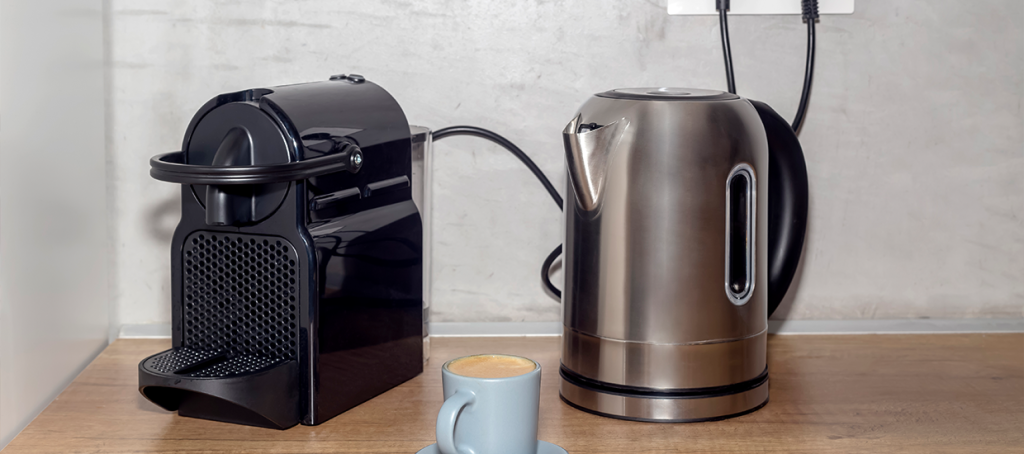
Mornings run smoother when the house wakes up with you. Start with smart bulbs and a plug for the coffee maker. Set lights to brighten gradually 10–15 minutes before your alarm; this gives your brain a gentle cue to rise, rather than a shock. Then schedule the coffee maker to power on right after your usual wake time. Because devices can use “sunrise” as a trigger, the routine adapts to seasons. Additionally, consider adding a weekday/weekend profile so you can sleep in when needed. If you need hands-free control, pair a voice assistant for quick “snooze the lights.”
Quick steps
- Pick a room to start (bedroom or kitchen).
- Replace bulbs with smart bulbs or use a smart plug.
- Create two schedules: weekdays and weekends.
- Test voice commands and adjust brightness.
1. Lock Up and Lights Off When You Leave
We’ve all left home wondering, Did I turn that off? A simple “Away” scene solves it. When your phone exits a small radius around the house (called geofencing), your system can lock doors, turn off interior lights, and lower the thermostat. Because geofencing uses your phone’s location, it’s automatic—no buttons to press. However, always enable a manual fallback: a wall keypad or app shortcut for guests. You can also add a delay (for example, 2 minutes) so the garage lights stay on while you pull out. It’s peace of mind baked into your daily routine.
2. Front Door Alerts Without the Noise
Doorbell cameras are helpful, yet constant pings are not. Instead of alerting on every motion, use smart filters. For example, send push alerts only when someone presses the bell or when motion is detected, and you’re away. Meanwhile, record all motion clips quietly for later review. Because package theft peaks at certain hours, schedule “high-sensitivity” deliveries from 10 a.m. to 7 p.m. and “low-sensitivity” deliveries at night. You’ll reduce false alerts from passing cars but still catch real visitors. If you’re comparing options or planning a professional installation, smart home automation services in Port Richey, FL can tailor filters to your home’s layout.
Common Triggers and Best Use
| Trigger type | Best for | Typical setup time |
| Doorbell press | Visitors, you must not miss | 5–10 minutes |
| Motion + away mode | Package alerts while out | 10–15 minutes |
| Person detection | Fewer false alarms | 15–20 minutes |
3. Thermostat That Adapts, Not Just Schedules
A smart thermostat goes beyond a fixed timetable. It can preheat or precool before you wake because it learns how long your home takes to reach a target temperature. Therefore, comfort meets efficiency. Use “eco” mode while you’re out, then resume comfort when you’re 15 minutes from home using geofencing. Also, set gentle temperature bands rather than a single number; this reduces short cycling and saves energy. If you have rooms that feel uneven, add innovative vents or temperature sensors. Even so, start simple: one schedule, one eco rule, and geofencing to glue it all together.
4. Evening Wind-Down with One Scene
Evenings deserve a calmer pace. Create a “Wind-Down” scene that dims living-room lights, closes shades, and lowers TV volume after 9 p.m. Because your eyes relax with warmer light, set the bulbs to 2700K or use a “Night” color preset. Add a child-friendly step too: at 8:45 p.m., gently blink the bedroom lights once as a cue for getting ready for bed, including putting on pajamas and brushing teeth. Meanwhile, a hallway motion sensor can keep the lights on low for five minutes—enough for safe trips without waking everyone. If guests arrive, a single tap can suspend the routine, allowing lights and music to stay lively longer.
5. Safer Arrivals with Smart Lighting
A well-lit entry is both welcoming and safer. Use a motion sensor at the driveway or porch to trigger pathway and foyer lights for 5–10 minutes. Because wired sensors can be tricky, a battery sensor or a camera with built-in motion often works fine. Also, tie this to sunset so the rule activates only after dark; your lights won’t waste energy during the day. For power outages, set bulbs and switches to “return to last state” so they don’t all come on at 2 a.m. This routine pairs nicely with your “Away” scene for seamless security.
Quick-Start Checklist for Today
You don’t need to automate everything. Start small and build. If you want help choosing or installing smart home automation services in Port Richey, FL, we can set up the basics in an afternoon.
Right-now checks:
- Pick one routine to automate (wake-up, away, or wind-down).
- Choose your trigger: time, motion, or geofencing.
- Add one safety rule (manual button, keypad, or voice backup).
- Test twice: once in the day, once at night.
- Review notifications; reduce any alerts that don’t help.
Because you’ll iterate, keep notes on what feels useful and what you ignore—then refine.
Budget, Privacy, And What to Buy First
Start with devices that do one job well, such as smart plugs, a few bulbs, and a thermostat. They’re affordable and high-impact. Because privacy matters, keep firmware updated and enable two-factor authentication on your app. Additionally, create a guest code for smart locks and revoke it once it has been used. If you want professional guidance, look for local support that understands regional networks and construction styles. For instance, smart home automation services in Port Richey, FL, are familiar with block construction, Wi-Fi dead spots, and the unique challenges of Florida’s humidity. Finally, plan your hub or ecosystem early; it prevents app overload and keeps automations simple to manage later.
Small Comparison: Where To Start
- Smart plug: Cheapest win for lamps and coffee.
- Smart bulbs: Great for scenes; need power always on.
- Smart switch: Whole-circuit control; better for families.
Bonus: Voice, Buttons, And Backups
Voice control is convenient, but don’t make it the only way. Install a few wireless buttons in key locations—such as the front door, bedside, and kitchen. Because buttons fire scenes instantly, they’re faster than digging for your phone. Assign double-press to “All Off” and long-press to “Panic Lights.” Meanwhile, maintain a basic manual path: use physical keys for locks and a standard wall switch for at least one leading light per room. Even so, test “internet down” mode; local automations should still run on your hub. This redundancy keeps the home usable for kids, guests, and grandparents alike.
A Smarter Home, On Your Terms
Small automations remove daily friction, not control. Start with one routine, test it, and then build upon it. Because you’re designing for your life, favor simple triggers, quiet notifications, and reliable fallbacks. If you’d like friendly help—from choosing devices to professional installation—consider smart home automation services in Port Richey, FL. A thoughtful setup can be done quickly and grow over time. If you want a local pro who respects your pace and budget, talk with Time On Target Pro Security. We’ll help you automate the right things, right away.